
Free AI Flashcard Generator from PDF for Students
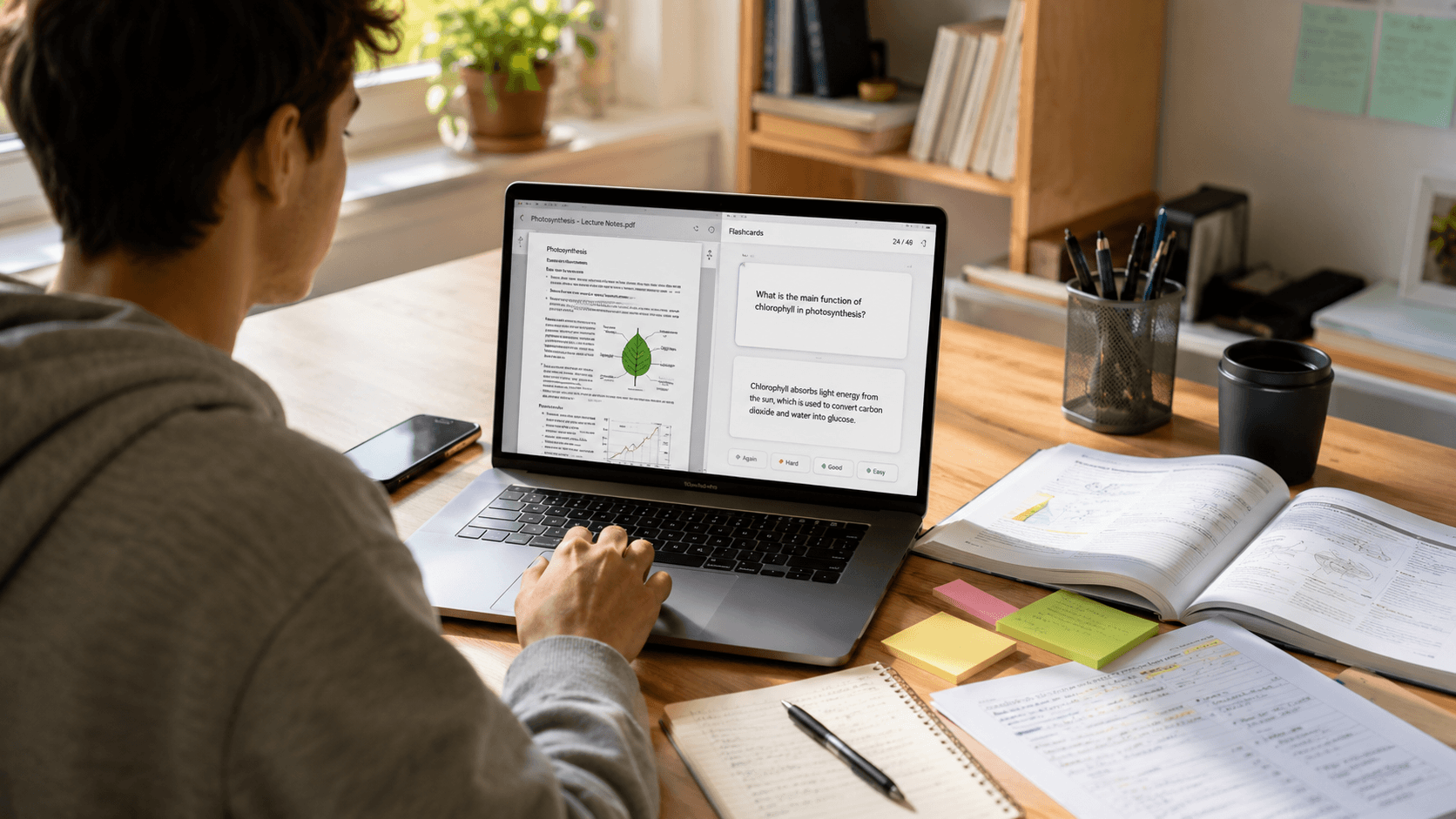
Turn a PDF into editable study flashcards, then improve retention with active recall, spaced review, and careful fact-checking.
Revising from a 100-page PDF is rarely easy. Important definitions are buried inside long paragraphs, formulas are scattered across chapters, and lecture slides often make sense only when the teacher explains them.
Making flashcards manually can help, but it takes time. You have to read the material, identify the important points, write suitable questions, and create answers one card at a time.
An AI flashcard generator from PDF for students free can reduce this work. You upload a PDF, and the tool converts important concepts into short question-and-answer cards that are easier to revise.
This does not mean AI should replace reading, understanding, or solving questions. It works best as a revision assistant that helps students turn long study material into manageable recall exercises.
What Is an AI Flashcard Generator from PDF?
An AI flashcard generator from PDF is a study tool that reads uploaded documents and converts their content into flashcards.
Depending on the material, it may identify:
- Important definitions
- Key concepts
- Formulas
- Dates and events
- Processes and steps
- Frequently tested facts
- Possible exam questions
- Short answers and explanations
For example, suppose a biology PDF contains a section explaining the stages of mitosis. An automatic flashcard generator from PDF may create cards such as:
Question: What are the main stages of mitosis?
Answer: Prophase, metaphase, anaphase, and telophase.
Instead of copying the information manually, students can generate a first set of cards within minutes and edit them before revision.
A free AI flashcard generator from PDF is especially useful when you have large chapters, lecture notes, textbooks, class handouts, or presentation slides that would take hours to convert manually.
Why Students Should Use AI Flashcards
Flashcards are not useful merely because they shorten notes. Their main value comes from making you retrieve information from memory.
Faster revision
Reading an entire chapter again before an exam can take hours. Flashcards separate the chapter into smaller questions, allowing you to revise the main points more quickly.
This can be useful during last-minute revision, although flashcards work better when used regularly rather than only the night before an exam.
Better memory recall
When you see a question and try to answer it without checking your notes, your brain has to retrieve the information. This process is called active recall.
Repeatedly retrieving an answer can make it easier to remember later during an exam.
More active learning
Many students read the same page several times and feel familiar with the content. However, familiarity is not the same as remembering.
An AI revision tool for students changes the activity from reading to answering. You have to pause, think, and check whether you actually know the concept.
Easier exam preparation
AI flashcards for exam preparation can help students revise facts, formulas, definitions, terminology, diagrams, processes, and short-answer concepts.
They are particularly useful for subjects containing large amounts of information, such as biology, medicine, law, history, geography, and language vocabulary.
Useful for large chapters and lecture notes
Long PDFs can feel difficult to start. An AI study tool for PDF notes can break them into smaller cards organized by topic or chapter.
This makes it easier to focus on one section at a time instead of repeatedly scrolling through an entire document.
Helps avoid passive reading
Passive reading happens when you move through the material without testing yourself. You may understand a paragraph while reading it but struggle to explain it later.
Flashcards reveal that gap quickly.
How AI Converts PDF Notes into Flashcards
The exact process depends on the tool, but most PDF-to-flashcard platforms follow similar steps.
1. You upload the PDF
Students can usually upload class notes, textbook chapters, lecture slides, study guides, or other PDF study material.
Some tools may also accept Word documents, images, pasted text, or presentation files.
2. The AI reads the content
The system processes the text inside the document. It tries to understand headings, paragraphs, lists, definitions, and relationships between concepts.
Clear, text-based PDFs generally produce better results than blurry scanned documents.
3. Important concepts are identified
The tool searches for material that can be converted into useful revision prompts.
For example, it may select:
- The definition of photosynthesis
- Newton’s laws of motion
- Important constitutional articles
- Medical terminology
- Chemical formulas
- Historical dates
4. Questions and answers are generated
The selected information is turned into flashcards.
A chemistry note stating that “the atomic number represents the number of protons in an atom” may become:
Question: What does the atomic number represent?
Answer: The number of protons in an atom.
5. Students review and edit the cards
This is an important step. AI-generated cards may occasionally be unclear, too broad, repetitive, or factually incomplete.
Students should review the generated cards, correct any errors, and rewrite questions that do not match their course or exam style.
6. The cards are used for revision
Once reviewed, the cards can be studied using active recall. Some platforms also support spaced repetition, which shows difficult cards more frequently than cards you already know.
Best Use Cases for Students
Different students can use a flashcard generator for students free in different ways.
NEET students
NEET preparation includes a large amount of factual and conceptual information, especially in biology.
A free flashcard maker for NEET JEE students can turn NCERT chapters into cards covering definitions, examples, biological processes, diagrams, exceptions, and important terminology.
For example:
Question: Where does the light-dependent reaction of photosynthesis occur?
Answer: In the thylakoid membranes of chloroplasts.
Students should still verify every card against NCERT because small wording differences may matter.
JEE students
JEE preparation requires problem-solving, so flashcards should not replace numerical practice.
However, JEE students can use flashcards for:
- Physics formulas
- Chemistry reactions
- Important conditions
- Mathematical identities
- Common exceptions
- Short conceptual questions
A student could upload a PDF containing electrostatics notes and generate cards covering formulas, units, assumptions, and key relationships.
College students
College students often receive long lecture slides and reading material before exams.
They can create flashcards from lecture notes to revise theories, terminology, models, case studies, and key arguments without rereading every slide.
Board exam students
Board students can convert chapter summaries into short-answer questions, definitions, formulas, and important points.
Flashcards are particularly useful for quick daily revision after completing a chapter.
UPSC and competitive exam students
Competitive exam preparation involves large amounts of information from reports, notes, current affairs summaries, and standard books.
Students can use PDF to flashcards online free tools to create cards for constitutional provisions, geography facts, economic concepts, historical events, and important schemes.
Complex topics should still be studied in context. A one-line card cannot always capture the full meaning of a policy or legal provision.
Language learners
Language students can generate cards for:
- Vocabulary
- Meanings
- Synonyms
- Grammar rules
- Example sentences
- Verb forms
They can also edit the cards to include pronunciation, translations, and personal examples.
Medical and law students
Medical and law courses require students to remember a large amount of detailed information.
Medical students can use study flashcards from PDF notes for anatomy terms, diseases, symptoms, drugs, and clinical concepts.
Law students can create cards covering sections, legal principles, case names, definitions, and exceptions.
Because both fields require high accuracy, generated cards must be checked carefully against trusted textbooks and official material.
What Makes a Good Free AI Flashcard Generator?
The best AI flashcard generator for students should do more than create random questions.
PDF upload support
The tool should accept common study PDFs without complicated formatting requirements.
It should also handle reasonably long documents or allow students to select specific pages.
Accurate question-and-answer generation
Generated cards should reflect the source material correctly. Questions should be specific enough to test one idea at a time.
Editable flashcards
Students should be able to rewrite questions, correct answers, remove duplicate cards, and add personal explanations.
A tool that does not allow editing can be risky because AI output is not always perfect.
Topic-wise organization
Cards should be organized by chapter, subject, tag, or topic. This makes it easier to revise weak areas without going through the entire deck.
Spaced repetition
Spaced repetition schedules cards based on how well you remember them. Difficult cards appear more frequently, while familiar cards are shown less often.
Mobile-friendly design
An AI flashcard app for students should work well on phones because many students revise during commutes, breaks, or short study sessions.
Save or export options
Useful tools allow students to save decks, download them, or export them to another flashcard platform.
Free plans may limit these features, so check the restrictions before creating a large deck.
Simple interface
Students should not need to spend twenty minutes understanding the tool. Uploading, generating, editing, and revising cards should feel straightforward.
How to Make Flashcards from PDF for Free
Here is a simple process you can follow.
Step 1: Choose one useful PDF
Start with a specific chapter instead of uploading an entire textbook.
A focused PDF usually produces more relevant flashcards and makes reviewing them easier.
Step 2: Upload it to the tool
Open a free AI flashcard generator from PDF and upload your file.
Make sure the PDF contains selectable text. If it is a scanned document, check whether the tool supports text recognition.
Step 3: Select the chapter or topic
Some tools allow you to choose particular pages, headings, or sections.
Select only the content you plan to revise.
Step 4: Generate the flashcards
Let the tool convert PDF to flashcards with AI.
Review how many cards it creates. More cards are not always better.
Step 5: Edit weak or incorrect cards
Delete repeated cards. Fix vague questions. Shorten long answers.
Each card should usually test one main idea.
Step 6: Review using active recall
Read the question and answer it before revealing the back of the card.
Saying the answer aloud or writing it down can make the exercise more active.
Step 7: Repeat difficult cards
Mark the cards you forget and revise them more frequently.
Cards you answer correctly several times can be reviewed less often.
Tips to Use AI Flashcards Effectively
Do not generate too many cards at once
A deck containing 300 cards from one chapter can become overwhelming.
Start with the most important 20 to 40 concepts and add more only when needed.
Edit AI-generated flashcards
Treat generated cards as a draft. Rewrite them using the terminology followed by your teacher, textbook, or exam board.
Focus on weak topics
Do not spend most of your time reviewing answers you already know.
Create separate decks for difficult formulas, confusing definitions, or frequently forgotten concepts.
Answer before checking
Looking at the answer immediately turns flashcards into another form of passive reading.
Pause and try to retrieve the answer first.
Revise regularly
Ten minutes every day is generally more useful than reviewing the entire deck once before the exam.
Combine flashcards with practice questions
Flashcards help with recall, but they do not fully prepare you for numerical problems, essays, case studies, or application-based questions.
Use them alongside mock tests, previous-year papers, and problem-solving practice.
Use spaced repetition
Review difficult cards more frequently and increase the gap between reviews for cards you remember well.
AI Flashcards vs Traditional Flashcards
FactorAI-Generated FlashcardsTraditional FlashcardsTime requiredFast to generate from PDFsSlow because every card is written manuallyAccuracyMust be checked for errorsDepends on the student’s understandingCustomizationEditable, but the first draft is automatedFully controlled by the studentRevision speedLarge decks can be created quicklySmaller, carefully selected decksBest use caseLong PDFs, lecture slides, and quick first draftsDifficult concepts requiring personal wording
AI flashcards are better for saving time. Traditional flashcards may be better when the act of creating the card helps you understand the topic.
A practical method is to combine both: generate a basic deck with AI, then rewrite the most important cards yourself.
Common Mistakes Students Make
Trusting every AI-generated card
AI can misunderstand context, miss exceptions, or create an answer that is technically incomplete.
Always compare important cards with your original study material.
Making too many flashcards
Not every sentence deserves a card. Focus on information you need to remember or retrieve during an exam.
Reading answers passively
Flashcards only work properly when you attempt the answer before checking it.
Not revising regularly
Creating a deck is not the same as learning it. Cards need repeated review over several days or weeks.
Replacing question practice with flashcards
JEE, mathematics, coding, accounting, and other application-based subjects require problem-solving.
Flashcards can help you remember formulas and concepts, but they cannot replace solving problems.
Uploading low-quality scanned PDFs
Blurry pages, handwritten notes, unusual layouts, and image-only PDFs can produce weak cards.
Use clear documents or correct the extracted text before relying on the generated deck.
Are Free AI Flashcard Generators Worth It?
Free tools can be enough for students who want to generate a few decks from individual chapters or lecture notes.
They are useful for testing whether AI flashcards fit your study routine before paying for a subscription.
However, free plans may include limitations such as:
- Smaller PDF size
- Limited uploads per day
- A maximum number of flashcards
- Fewer customization options
- No export feature
- Limited spaced repetition
- Advertisements
- Restricted access to saved decks
A paid plan may make sense for students who upload material daily or need larger decks and advanced review features. For occasional revision, a free tool may be sufficient.
Before uploading private class notes or personal documents, also review the platform’s privacy policy and file-handling practices.
Frequently Asked Questions
What is the best AI flashcard generator from PDF for students free?
The best tool depends on your needs. Look for a platform that supports PDF uploads, creates accurate questions, allows editing, organizes cards by topic, and includes active recall or spaced repetition.
Test it with one chapter before uploading all your study material.
Can AI make flashcards from PDF notes?
Yes. AI can read text from a PDF, identify important concepts, and turn them into question-and-answer cards.
The results are usually better when the PDF is clearly formatted and contains selectable text.
Is there a free tool to convert PDF to flashcards?
Several tools offer free PDF-to-flashcard generation, although free plans may limit file size, uploads, deck length, or exports.
Check the limits before using the tool for a large textbook.
Are AI-generated flashcards accurate?
They can be accurate, but they are not guaranteed to be correct.
Students should verify facts, formulas, definitions, dates, and technical information against the original PDF or a trusted source.
Can I use AI flashcards for NEET and JEE preparation?
Yes. NEET students can use them for biology facts, terminology, and chemistry concepts. JEE students can use them for formulas, reactions, identities, and conceptual recall.
They should be combined with NCERT revision, mock tests, and numerical practice.
How many flashcards should I revise daily?
There is no fixed number that works for everyone.
Start with a manageable set, such as 20 to 40 cards, and focus on answering them properly. Reduce the number if you are rushing through the deck without thinking.
Do AI flashcards help with memorization?
They can help when used for active recall and repeated review.
Simply reading the front and back of each card is less effective than attempting the answer, checking it, and revisiting difficult cards later.
Conclusion
An AI flashcard generator can turn long PDFs, lecture slides, notes, and textbook chapters into shorter revision questions. It saves time, encourages active recall, and makes large amounts of study material easier to review.
The generated cards should not be treated as final. Check the facts, remove unnecessary cards, improve vague questions, and rewrite answers in language you understand.
For your next study session, choose one chapter PDF, generate a small flashcard deck, review every card, and use it for today’s revision.